
Update: As I’ve been jumping back into my homelab adventures, I realized I had this post in my drafts folder partially finished. While I’ve moved on from this configuration, it’s worth at least posting it in case someone else wants to use the same approach. That being said, since I don’t have this hardware anymore, I can’t provide any really helpful advice beyond that this approach worked for me for several years after implementing it!
It’s been a while since my last home lab blog, but I’ve got something I wanted to share regarding what I’ve been working on in my lab. As you may have read in Part 1, I went with Dell R620s (4 of them) for my lab. Unfortunately, I bought these right before the release of VMware vSphere 7, which had some significant changes to driver support. VMKLinux was removed from vSphere 7, which drops support for Linux-based drivers used for devices in ESXi. Unfortunately, when you convert the H310 RAID card in the R620, it effectively becomes an LSI 2308-based device and does not have the appropriate drivers available in ESXi 7. “Ok, so no problem, Ryan, just upgrade the controller!”
Well, CHIA mining became popular earlier this year, and the price of Dell HBAs that would work in these servers, as well as have some futureproofing, became extremely expensive in the used market. I’m specifically talking about the HBA330 PCIe adapter, and not the mini mono HBA330, which will not work in a 12th-gen server. I had pretty much given up at this point, thinking that it would not make much sense to spend 150$+ on each host to make them be able to support ESXi 7. So I put the idea off, and that’s partly why I haven’t updated this blog.
Until someone on a small Discord server of fellow home-labbers mentioned the HPE H240 adapter. HPE in a Dell? Sounds like a disaster, right? And surely it wouldn’t be any less money than the Dell counterparts. Well, I did some research and determined that the adapter is very flexible, and besides needing some HPE utilities to configure it, it should work fine and was supported by both ESXi 7 and vSAN 7! Off to eBay and I found a seller with used — like new condition adapters for 35$ shipped each! That’s a deal! The next hurdle was determining if I could get connected to the SAS backplane in the R620. 20$~ for a pair of SFF-8087 to right-angle SFF-8087 would work. Dell uses a Wide SAS connector from the motherboard in the R620, where the Hx10 RAID/HBA goes, but I couldn’t find an adapter, so I decided to go this route.
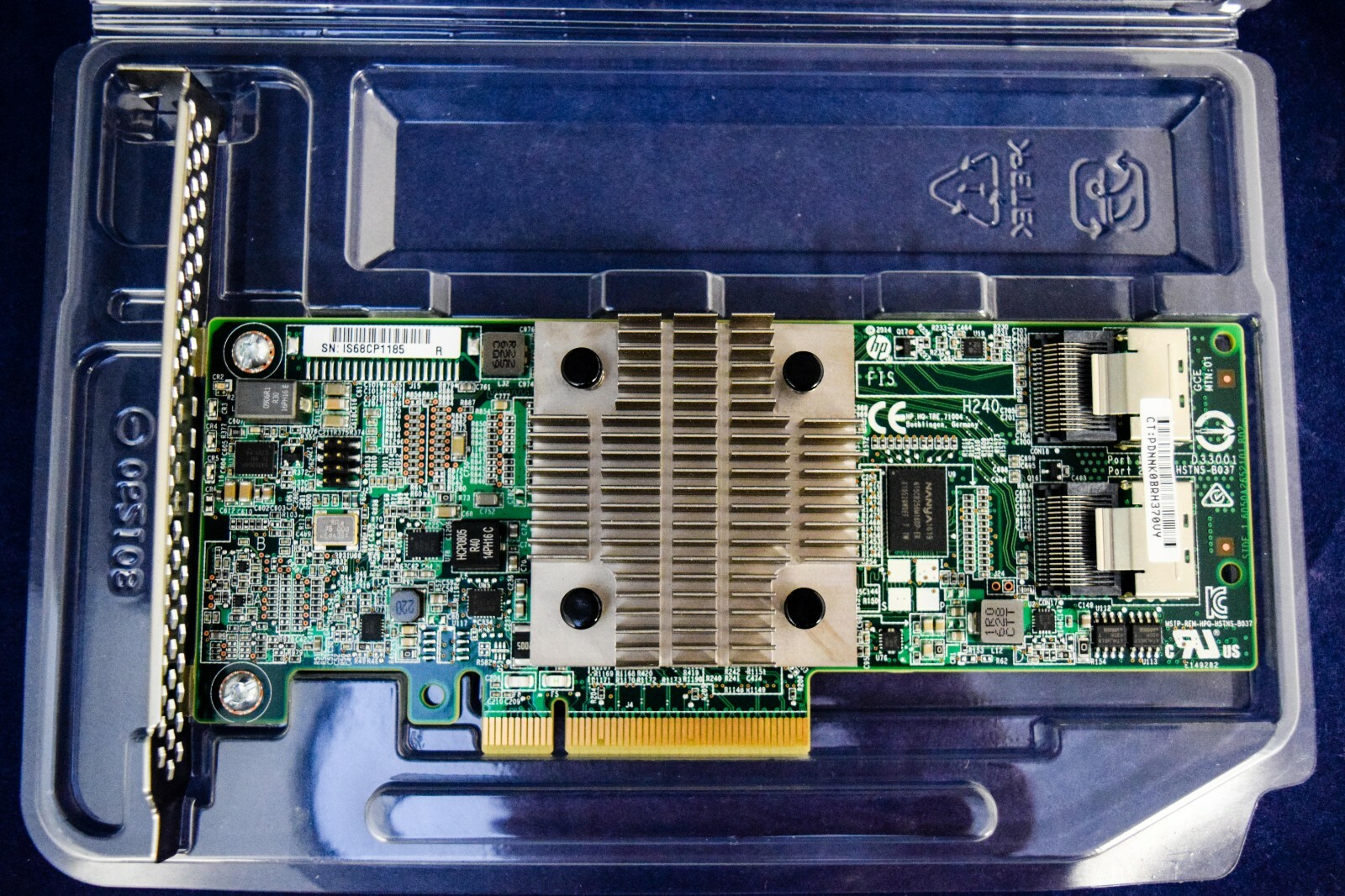
The cards and cables arrived in a few days, so once I received the card, I placed one of my hosts in maintenance mode and shut it down. The cards came with half-height brackets installed, so that made installation into the R620 easy. Except that the SAS connectors are at the edge of the card, so I had to install the cables first, and then bend the cables significantly to slide the card into the riser. This worked fine, and I was able to tuck the cables back into the same path that the factory Dell cable ran, and plug them in.
The first time powering the host back on, I did see the HPE card show up during boot; however, there was no option to configure it. This would require the HPE utility software to adjust the settings with the card. The good news is that the adapter immediately showed up in the storage adapter list once the host finished booting. HPE actually packages all of their utilities needed into a .zip, which you can install from the command line on the host. Let’s take a minute and talk about what software you need:
Although it wasn’t necessary, I decided to download and install the HPE HPNSA driver from HPE’s website. Turns out this was a wasted step as the required driver was already included, and newer. So you can skip this part for now (especially true when upgrading to ESXi 7). I’m going to link the downloads for ESXi 6.7 because I have vSAN running in my lab, and I wanted to do this incrementally. If you’re starting from scratch, you could
HPE Utilities offline bundle for ESXi 6.7: https://support.hpe.com/hpesc/public/swd/detail?swItemId=MTX_2600ebe1f0f94bb98c23a0d0d9
2026 Update:
So from what I recall, the HPE card works flawlessly in HBA mode. The only issue was that the iDRAC complained about being unable to talk to the drive array, so it would show an error on the display on the server.
Performance was the same in ESXi 7.x as in 6.7 with regard to vSAN. I was using various Intel S3610 SSDs in cache/capacity configuration (400GB cache, 400gb/1.6TB capacity) in each of my four hosts.
My cluster ran ESXi 7.x for 2.5 years like this, but with a combination of Broadcom acquisition, my career change, and moving my homelab to an Iowa datacenter and ultimately deciding to sunset my VMware HomeLAB for Proxmox, I don’t have much other detail. I do hope someone will find this helpful, and if you have any questions feel free to leave a comment!